Why Is My Toilet Running? A 15-Minute Fix
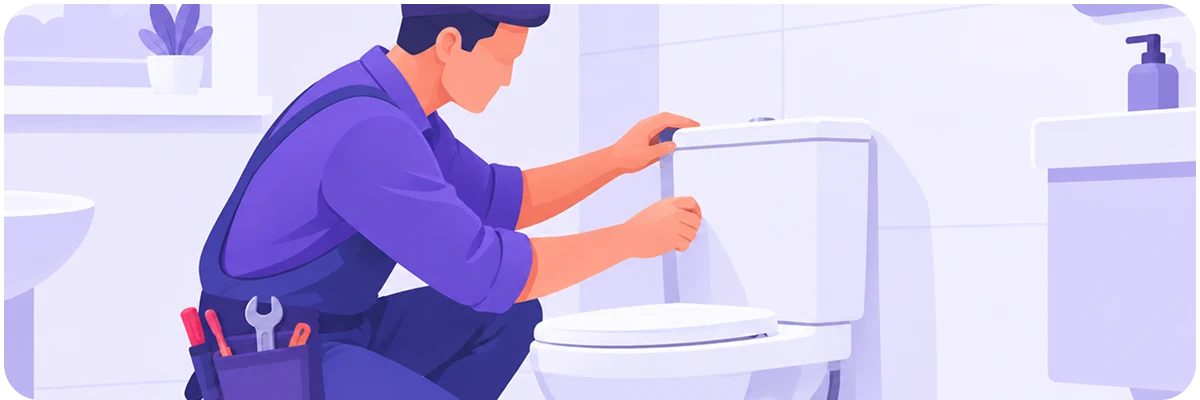
If your toilet keeps running after you flush, it's almost always one of three things: a worn flapper that isn't sealing, a chain that's tangled or too short, or a fill valve set too high. All three are easy to fix yourself, usually under $10 in parts and about 15 minutes. If you replace the flapper and it's still running, check the fill valve next.
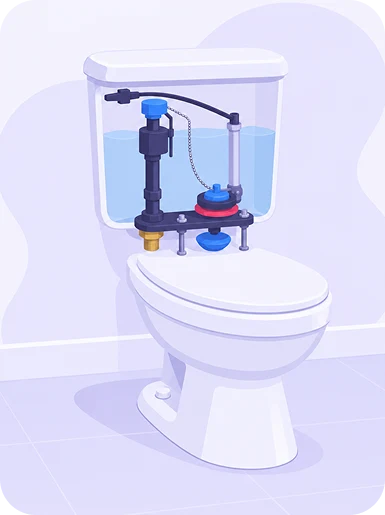
Why toilets keep running: flapper, chain, or fill valve
A toilet does two things after a flush: refill the tank, then stop. When it doesn't stop, or it kicks on every few minutes with nobody using it, the seal between the tank and the bowl isn't holding anymore. That seal is the flapper, a rubber or foam piece at the bottom of the tank that lifts when you flush and drops back down to close things off.
Flappers wear out. Rubber breaks down, hard water leaves mineral buildup on the seal, or the chain gets tangled, too short, or too long, any of which can keep the flapper from sealing all the way. The other common cause is a fill valve or float set too high, so the tank keeps topping off past where it should stop and the extra water trickles into the overflow tube.
None of this is dangerous or urgent, but it's not free either. The EPA's WaterSense program estimates a running toilet can waste up to 200 gallons of water a day, and a typical household loses more than 9,000 gallons a year to leaks like this one.
Diagnose How to tell if it's the flapper or the fill valve
Open the tank lid and flush once while watching inside, if water keeps moving after the tank should be full, you've confirmed it's running. Then add a few drops of food coloring to the tank water without flushing, and wait ten minutes. Color showing up in the bowl means the flapper isn't sealing. No color, but you can still hear water running? That points to the fill valve or float instead.
Repair How to replace a toilet flapper, step by step
This takes 15 to 20 minutes, costs $5 to $15 for a universal flapper, and doesn't require any tools beyond maybe a pair of gloves.
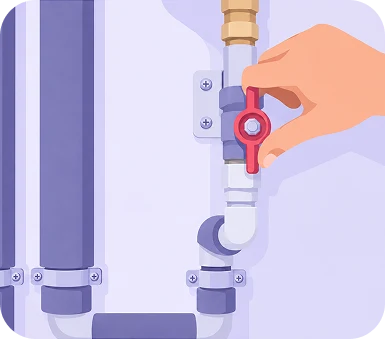
Step 1 Turn off water
Start by turning off the water at the shutoff valve on the wall behind the toilet, turning clockwise until snug, then flush once to drain the tank. Unhook the chain from the flush lever and slide the old flapper off the two pegs at the base of the overflow tube.
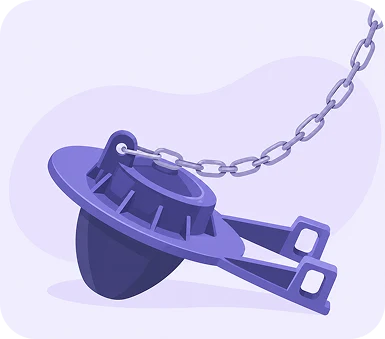
Step 2 The flapper
Universal flappers fit most toilets, but bring the old one to the hardware store if you're not sure which size to buy. Clip the new one onto the same pegs and reattach the chain with a little slack, too tight and it won't seal, too loose and it won't lift enough to flush properly.
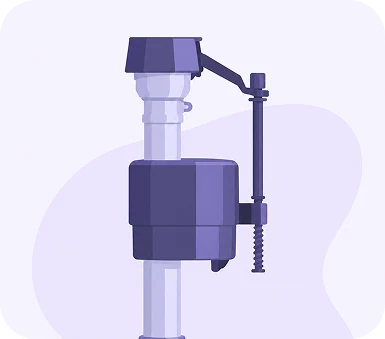
Step 3 The fill valve
If the fill valve turns out to be the issue instead, find the float, either a ball on an arm or a cup that slides on the valve, and lower it slightly until the water shuts off about an inch below the top of the overflow tube.
Step 4 Turn water back on
Turn the water back on, flush twice, and listen for a full minute after each one. Silence means you're done.
How long a flapper lasts before it needs replacing again
Flappers don't last forever, usually 3 to 5 years, less with hard water. Worth keeping a spare in your home toolkit so the next time this happens, you're not making an emergency hardware store run.
Describe what you're hearing, or add a photo of the tank, and FinderlyFix will tell you the likely cause and the parts list before you even leave the house.
Not sure what you're looking at? Snap a photo and FinderlyFix will tell you what's wrong, what it should cost, and what to do next.
Try FinderlyFix