Looks like your site
Set it once in the portal and preview it live before you publish.
- Brand colors, corner radius and font
- Light, dark, or follow the visitor’s setting
- Your own headline and button labels
- Card width and density to fit your layout


Homeowners show you what’s broken with a photo or a sound clip and get a quick AI diagnosis, right on your website. You get the request with the diagnosis and photo attached.
The same widget partners embed, with FinderlyFix’s default look.
Summit Home Services is a fictional Seattle contractor we built as a demo partner site. The widget in its hero is the real widget, installed with the same snippet you’d paste.
Open summit.25x.codes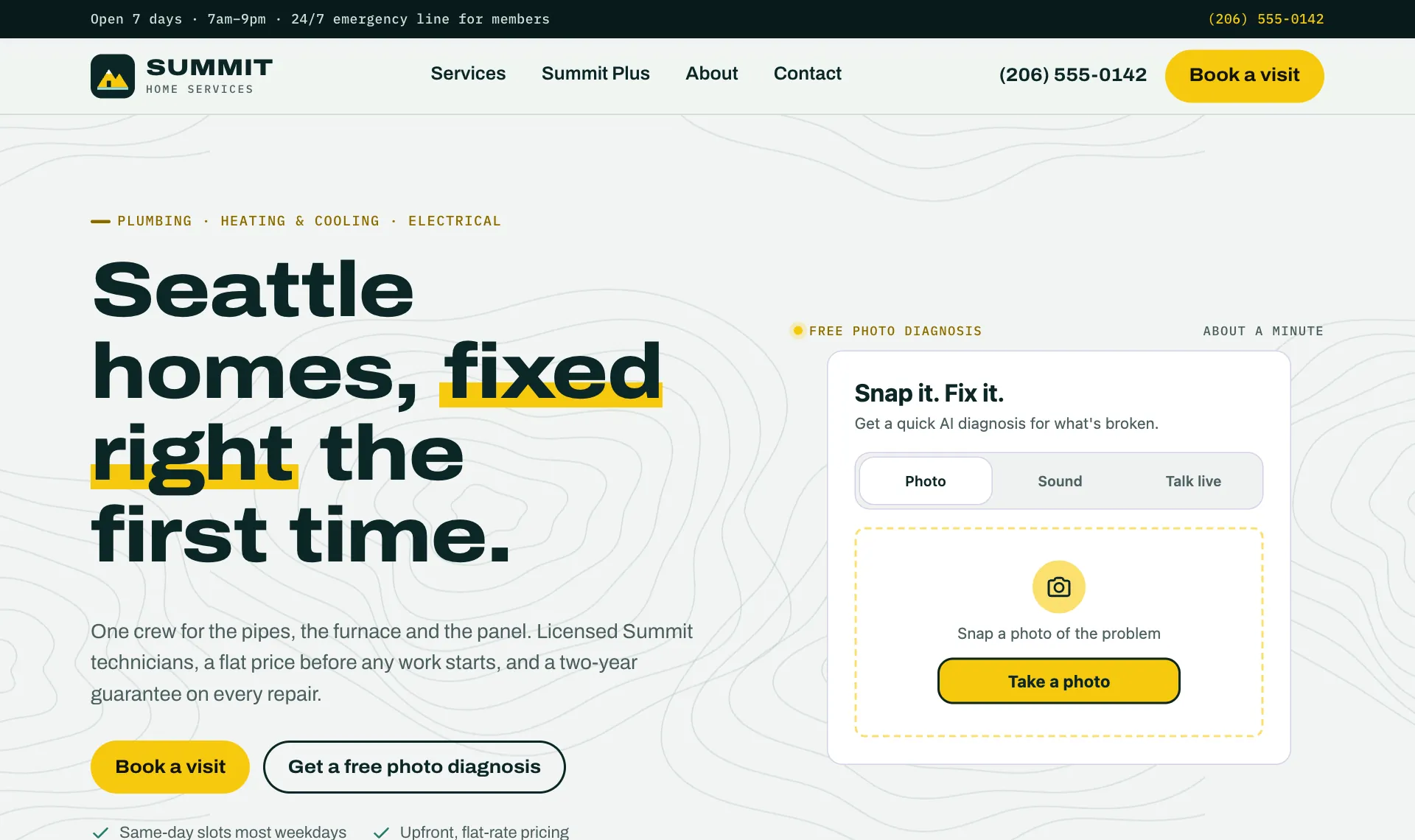
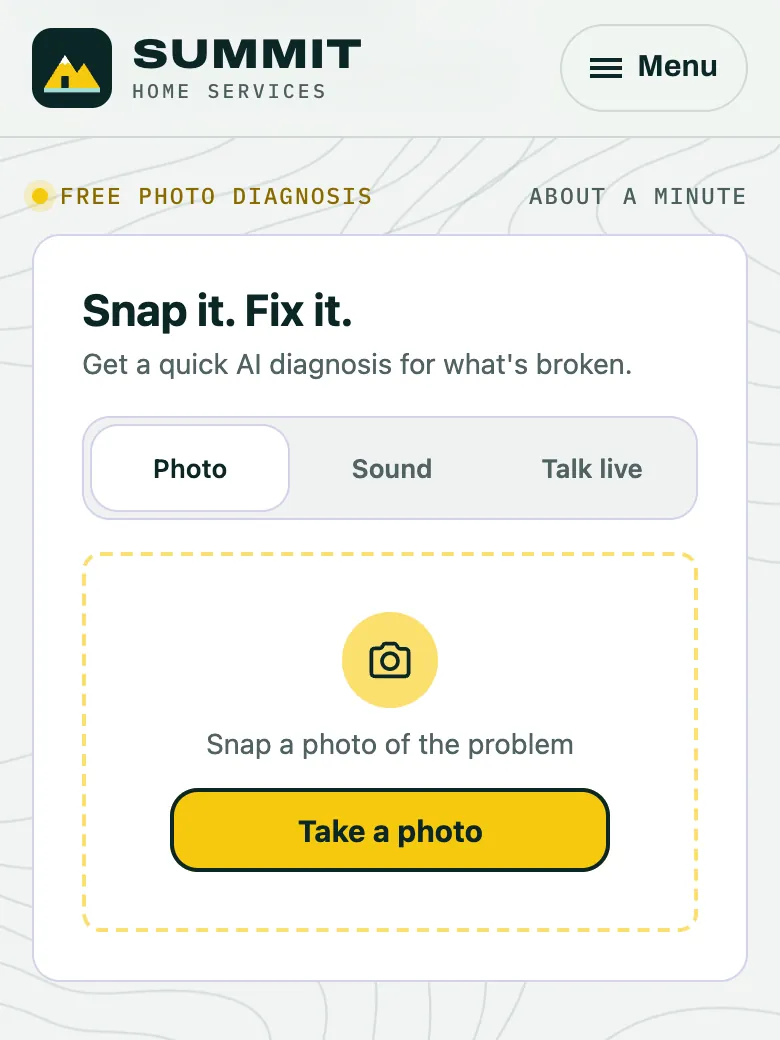
A photo, or a short sound clip of the noise, right on your page. No app download and no account.
A plain-language read on what is likely wrong. A starting point for the conversation, not a replacement for your on-site inspection.
Up to four buttons you choose and label: call your line, open your booking page, or send you a request.
As a lead with the diagnosis and photo attached, in your portal inbox and by email alert or signed webhook.
Your team starts the call already knowing what the homeowner saw and what they asked for.
Set it once in the portal and preview it live before you publish.
Route each request to your own team or to contractors on your roster.
Everything after the paste lives in one place.
The compliance-sensitive parts are handled by the widget and our API.
Turn a visitor asking “why is my AC leaking?” into a request that already describes the problem.
Let residents show a maintenance issue with a photo, so your team knows the trade before anyone goes out.
Start a service request with a diagnosis and photo on file instead of a free-text description.
Help a shopper understand what is wrong before they choose a fix, then offer them your next step.
Sign up in the partner portal, or email us and we’ll help you set it up. We review every new partner organization.
Anywhere in your page’s HTML. The portal has steps for WordPress, Webflow, Squarespace, Wix, Shopify, Google Tag Manager, React and more.
Test keys run the whole flow end to end without reaching a contractor.
<finderly-diagnosis-widget site-key="YOUR_SITE_KEY"></finderly-diagnosis-widget>
<script src="https://cdn.finderlyfix.com/diagnosis-widget/v2/finderly-diagnosis-widget.js" async></script>
Replace YOUR_SITE_KEY with the key from your partner portal. The widget appears where you put the
element.
Try the live widget at the top of this page: a photo, a sound or Talk live. No account needed.
Try the live demoOr see it on a demo partner site: summit.25x.codes
We host a page for you at finderlyfix.com/p/your-name, with a link and a QR code to share.
No account needed. Works with Claude Code, Codex, Cursor, VS Code, Gemini CLI and Windsurf (setup guide). Paste this into your agent, in your website’s repo:
Sign this website up for FinderlyFix and install the widget. Follow https://partners.finderlyfix.com/agent-setup.md
It asks you who’s responsible and for your OK to the Terms, then does the rest.
Claiming the account, reading leads and sharing your stats stay with you. Not claimed in 14 days? The widget pauses until you claim it; nothing is deleted. Details
The snippet loads a small loader script with async, so it does not block your page from rendering. The loader then fetches the widget, and the code for live conversation only downloads if a visitor starts one.
Usually not. It is one element and one script tag, pasted where you want the widget to appear. The portal shows platform-specific steps and can email the snippet and instructions to your developer if you have one.
Each lead lands in your partner portal inbox. You can add email alerts and signed webhooks for your own systems, and route leads to contractors on your roster. Leads carry the diagnosis, the photo, the homeowner’s contact details and their consent record. Depending on your type of business, you can also turn on a network fallback: a request nobody on your side can take goes to a referral network, but only if the homeowner ticks a separate box to allow it.
By default a key works on any website, so installing it is just a paste. The portal shows every website your key has been used on; you can block any of them, or lock the key to only the websites you list.
No. It is a starting point that helps the homeowner describe the problem and helps your team prepare. The on-site visit still decides the fix. For situations like a gas smell or fire, the widget skips the diagnosis and tells the homeowner to leave and call 911.
Yes. We can host a simple page for you at finderlyfix.com/p/your-name with the widget on it, which you can link to from anywhere. Your organization can have up to 3 of these pages, for example one per brand, service area or campaign. Each gets its own link and a QR code to print on flyers or van signs.
Sign up in the partner portal, or email us and we will help you set it up. A FinderlyFix team member reviews every new partner organization.
Create your partner account to get a site key and send your first test lead.
Prefer an AI agent? It can set the widget up for you.